 Skip to content

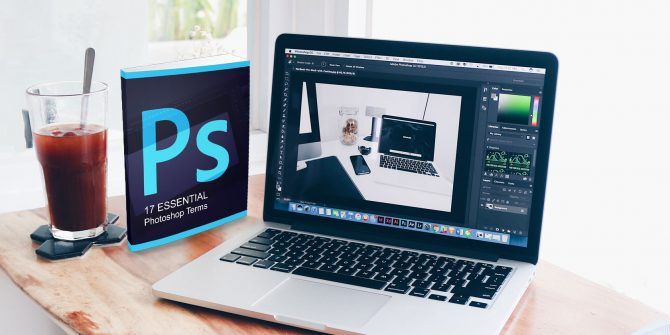
In the world of digital art, graphic design, photography, and image editing, one name stands tall—Adobe Photoshop. Renowned as the industry standard for photo editing and design, Photoshop has transformed the way professionals and creatives work with digital images. Whether you’re enhancing a photo, designing a poster, or creating digital art from scratch, Photoshop gives you unmatched creative control.
This blog explores Adobe Photoshop in detail—what it is, where and how to download it, the installation process, and its compatibility across different operating systems.
🖼️ What Is Adobe Photoshop?
Adobe Photoshop is a powerful raster graphics editor developed and published by Adobe Inc. Since its initial release in 1988, it has evolved into the most widely used image editing software globally. Photoshop allows users to create, edit, manipulate, and enhance images, making it indispensable for photographers, graphic designers, illustrators, digital marketers, and web developers.
🔑 Key Features of Adobe Photoshop
-
Layer-Based Editing – Combine and manage elements non-destructively.
-
Retouching and Restoration – Remove blemishes, fix lighting, repair damaged photos.
-
Smart Objects – Work with non-destructive transformations.
-
Content-Aware Fill – Automatically remove objects from images with intelligent background filling.
-
Filters and Effects – Stylize photos with artistic or functional filters.
-
Advanced Selection Tools – Create intricate masks using AI-powered selection.
-
Text and Typography Tools – Add and edit text layers with full control over fonts and formatting.
-
Integration with Adobe Creative Cloud – Seamless workflow across Adobe tools like Illustrator, Lightroom, After Effects, etc.
🌐 Where to Download Adobe Photoshop
Adobe Photoshop is available only through Adobe’s official channels. It’s offered as part of the Adobe Creative Cloud suite on a subscription basis.
🔗 Official Download Sources
| Platform | Download Link |
|---|---|
| All Platforms | https://www.adobe.com/products/photoshop.html |
| Creative Cloud Download | https://creativecloud.adobe.com/apps/download/photoshop |
You must have an Adobe account to download Photoshop. Adobe provides a 7-day free trial for first-time users.
⚠️ Do not download Photoshop from third-party websites to avoid malware and piracy issues.
💾 How to Install Adobe Photoshop
Here is a step-by-step installation guide for Windows, macOS, and general system requirements.
🖥️ Installing Photoshop on Windows
-
Create or Log in to Your Adobe Account
Visit https://account.adobe.com and sign in or create a new account. -
Go to the Photoshop Product Page
Navigate to https://www.adobe.com/products/photoshop.html. -
Click “Free Trial” or “Buy Now”
-
If you’re new, click Free Trial.
-
If subscribing, choose a plan (e.g., Photoshop only, Photography Plan, or All Apps).
-
-
Download Adobe Creative Cloud
-
The site will prompt you to download the Creative Cloud Desktop App, Adobe’s hub for managing software.
-
-
Install Creative Cloud
-
Double-click the
.exeinstaller file. -
Follow on-screen instructions to complete the installation.
-
-
Install Photoshop
-
Open the Creative Cloud app.
-
Locate Photoshop in the “Apps” tab.
-
Click Install.
-
Photoshop will download and install automatically.
-
-
Launch the Application
-
After installation, click Open from Creative Cloud or launch Photoshop from your Start menu.
-
🍏 Installing Photoshop on macOS
-
Sign In to Adobe
Visit https://account.adobe.com and log in. -
Download Creative Cloud
-
Visit https://creativecloud.adobe.com/apps/download/photoshop.
-
Download the Creative Cloud Installer for macOS.
-
-
Run Installer
-
Open the
.dmgfile. -
Drag Creative Cloud to your Applications folder.
-
-
Install Photoshop
-
Open the Creative Cloud desktop app.
-
Click Install next to Photoshop.
-
-
Launch Photoshop
-
Open Photoshop from your Applications folder or Creative Cloud dashboard.
-
📋 System Requirements
Adobe Photoshop is a high-performance application that requires a moderately powerful computer to function efficiently.
✅ Minimum System Requirements for Windows
-
OS: Windows 10/11 (64-bit only)
-
Processor: Intel® or AMD processor with 64-bit support; 2 GHz or faster
-
RAM: 8 GB (16 GB recommended)
-
Storage: 4 GB available hard-disk space; SSD recommended
-
Graphics: GPU with DirectX 12 support, 1.5 GB VRAM minimum (4 GB recommended)
-
Monitor Resolution: 1280 x 800 (1920 x 1080 recommended)
✅ Minimum System Requirements for macOS
-
OS: macOS Catalina (version 10.15) or later
-
Processor: Multicore Intel processor with 64-bit support or Apple Silicon (M1/M2)
-
RAM: 8 GB (16 GB recommended)
-
Storage: 4 GB available space; SSD recommended
-
Graphics: Metal-capable GPU with at least 1.5 GB VRAM
-
Monitor Resolution: 1280 x 800 (1920 x 1080 recommended)
🔄 Compatibility with Different Operating Systems
| OS | Compatibility | Notes |
|---|---|---|
| Windows 10/11 (64-bit) | ✅ Fully supported | Most commonly used |
| macOS Catalina and later | ✅ Fully supported | M1/M2 support with native builds |
| Linux | ❌ Not officially supported | Can use alternatives like GIMP or run via Wine (not recommended) |
| Web (Photoshop Web Beta) | 🟡 Limited browser version | Available to Adobe subscribers |
Tip: For mobile editing, Adobe offers Photoshop Express, Photoshop Camera, and Photoshop Mix on iOS and Android.
🧠 First Steps After Installation
Once installed, here are some suggestions to get started:
-
Open a New Project or Image
-
Choose from preset templates or import your own photos.
-
-
Explore the Tools Panel
-
Familiarize yourself with tools like Move, Lasso, Brush, Clone Stamp, Healing, and Crop.
-
-
Use Layers
-
Organize your elements with layers and layer groups.
-
-
Experiment with Filters and Adjustments
-
Play with brightness, contrast, curves, hue/saturation, and special effects.
-
-
Export Your Work
-
Save your files in PSD (Photoshop format) or export to JPEG, PNG, TIFF, or PDF.
-
-
Explore Tutorials
-
Visit https://helpx.adobe.com/photoshop/tutorials.html for free training.
-
💸 Adobe Photoshop Pricing Plans
| Plan | Features | Price (USD) |
|---|---|---|
| Photography Plan | Photoshop + Lightroom + 20GB Cloud | $9.99/month |
| Photoshop Single App | Photoshop + 100GB Cloud + Fonts | $20.99/month |
| All Creative Cloud Apps | All Adobe software | $54.99/month |
| Students/Teachers Plan | Discounted Creative Cloud | ~$19.99/month |
💬 Why Use Photoshop Over Alternatives?
-
Professional-Grade Tools – Unmatched capabilities for precision editing.
-
Creative Cloud Integration – Seamless connection with Illustrator, Lightroom, InDesign, and more.
-
Community & Resources – Massive online learning resources, forums, and tutorials.
-
Regular Updates – Adobe consistently adds new AI-powered tools and performance enhancements.
-
Industry Standard – Recognized and demanded by professionals and employers worldwide.
✅ Conclusion
Adobe Photoshop remains the gold standard for photo editing, digital art, and creative visual design. With a powerful set of tools, high-performance capabilities, and cross-platform compatibility, it is a must-have for anyone serious about visual creativity.
Whether you’re a photographer retouching portraits, a designer crafting banners, or a digital artist building masterpieces from scratch, Photoshop provides the canvas and brushes for your vision to flourish.
🔗 Quick Links
-
Download Photoshop: https://www.adobe.com/products/photoshop.html
-
Creative Cloud App Download: https://creativecloud.adobe.com/apps
-
Photoshop Tutorials: https://helpx.adobe.com/photoshop/tutorials.html
-
System Requirements: https://helpx.adobe.com/photoshop/system-requirements.html
Start your creative journey today with Adobe Photoshop—the ultimate tool for image editing and visual storytelling.


